
# East Car Sounds - FiveM
## What does this script do?
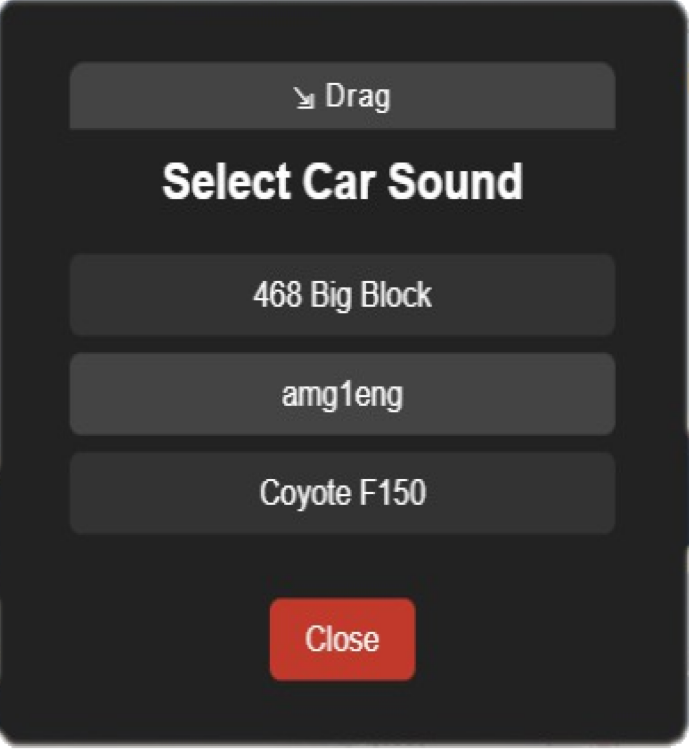
East Car Sounds lets players pick custom engine sounds for their vehicles using a modern, draggable menu. The sounds you want to offer are managed in `config.lua` and are saved per car (by license plate) even after a server restart.
## What frameworks does it support?
- Works with any FiveM server (ESX, QBCore, or standalone). No framework dependency is required.
## How do I install it?
1. Place the `east_carsounds` folder in your server's `resources` directory.
2. Add `start east_carsounds` to your `server.cfg` (after any custom sound resources).
3. Make sure your custom sound resources (with .dat/.awc files and fxmanifest.lua) are started before this script.
## How do I add sounds?
1. Add your custom sound files as a separate resource (with .dat/.awc files and a correct fxmanifest.lua).
2. In `config.lua`, add each sound you want to offer like this:
```lua
Config.Sounds = {
{ label = "468 Big Block", value = "468BIGBC" },------ value is the name of the sound file
{ label = "Amg 1 ", value = "amg1eng" },
{ label = "Coyote F150", value = "aq02coyotef150" },
-- Add more custom sounds as needed
}
```
- `label`: The display name for the sound, shown in the menu for players to pick (e.g., "Coyote F150").
- `value`: The internal sound name or hash. This must match the name of the sound as registered in your custom sound resource (e.g., the .awc or .dat file name, or the audio hash used in your resource).
3. Restart your server or the resource after making changes.
## How do players use it?
1. Get in a vehicle as the driver.
2. Type `/carsoundmenu` in chat to open the menu.
3. Click a sound to apply it to your car. The menu stays open until you close it.
4. The selected sound will persist for that car (by plate) even after a server restart.
## Need help?
If you need help, open an issue or contact the script author.